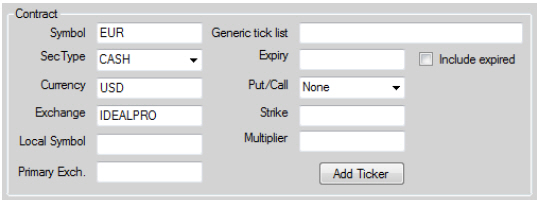
Before you can receive any data, you first have to identify the security for which you want the data. A contract can be defined in multiple ways according to the instrument’s own nature. The most typical contract definition includes symbol, security type and exchange. The prefilled example from the Market Data tab under the Data tab in the sample application corresponds to the EUR.USD forex pair:
Forex pairs are simple to define because they can be defined with only four attributes (Symbol, SecType, Currency and Exchange). Security types such as futures or options require a more elaborate description.
Every time a new request that requires a contract (i.e. market data, order placing, etc.) is sent to TWS, the platform will try to match the provided contract object with a single candidate. If there is more than one contract matching the same description, TWS will return an error notifying you there is an ambiguity. In these cases the TWS needs further information to narrow down the list of contracts matching the provided description to a single element.
The best way of finding a contract’s description is often in TWS itself. In TWS, you can easily check a contract’s description either by double clicking it or through the Contract Info -> Description menu, which you access by right-clicking a contract in TWS. The Contract Description window in TWS looks like this:
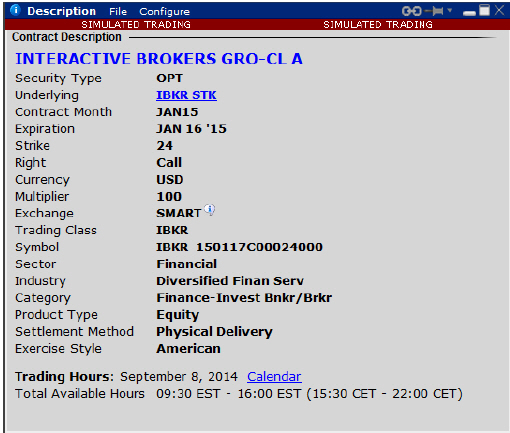
The symbol displayed in the TWS contract’s description corresponds to the API’s localSymbol attribute, while the API’s symbol is usually the TWS’ underlying’s symbol.
Note: Several other contract definition examples are provided in the IBSamples project’s ContractSamples class.
You can also request contract details directly from TWS, and this will be explained later in this guide.